
Time
Log the hours you (or your team) spend on project work.
How to view time entries
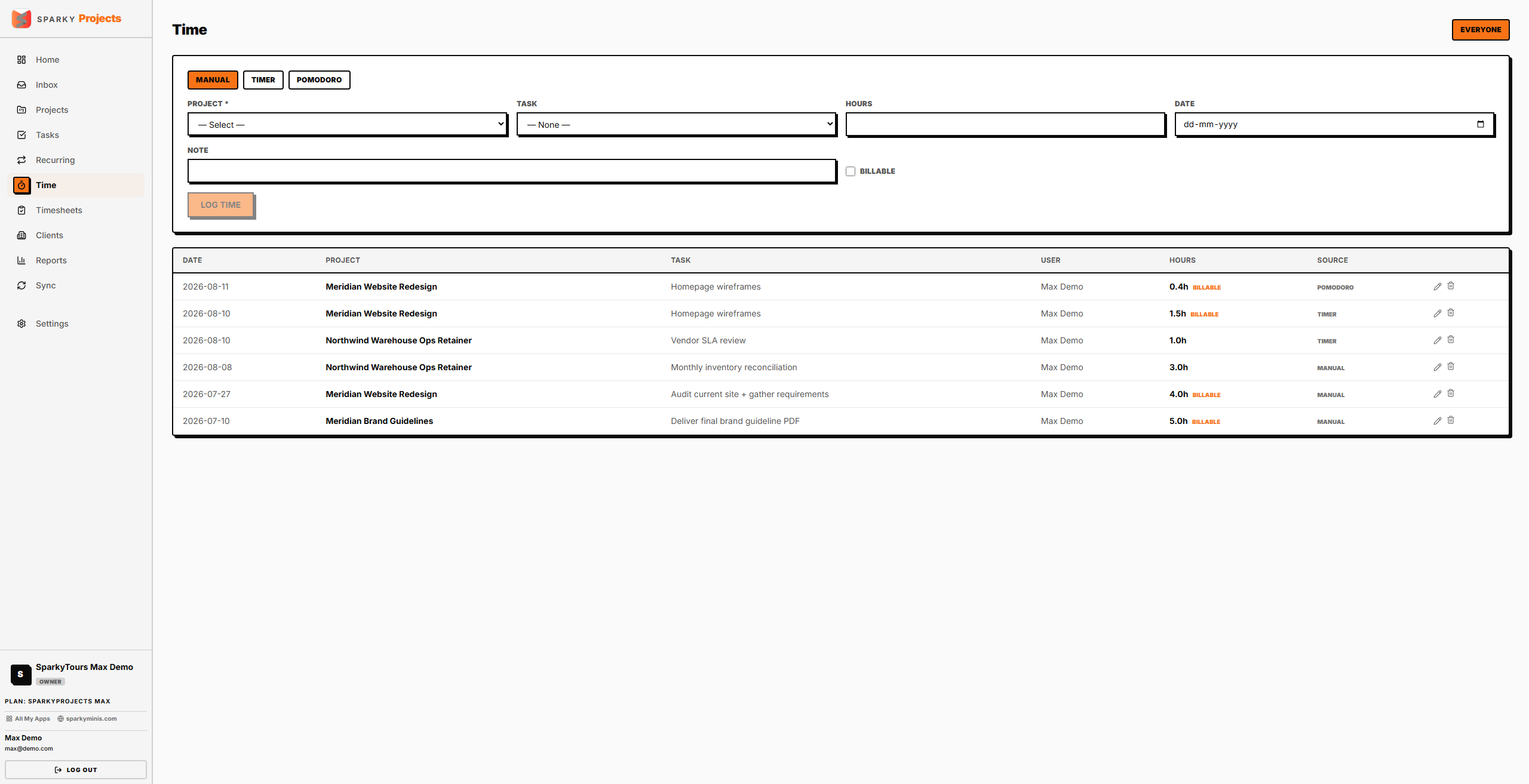
Open Time from the sidebar. You'll see logged entries with project, task, date, duration, whether they're billable, and how the time was logged (manual entry, timer, or Pomodoro). If you can view everyone's time, click "Everyone"/"Mine" to switch.
How to log time
Choose Manual, Timer, or Pomodoro at the top of the page. For a manual entry: pick a project (required), optionally a task within it, enter hours, a date, whether it's billable, and an optional note.
How to edit or delete a time entry
Edit or delete your own entries — or anyone's, if you have permission to view all time — using the controls on each row; deleting asks you to confirm first since it can't be undone. An entry that's already part of a submitted timesheet is locked; ask your manager to reject that timesheet first if it needs a correction.